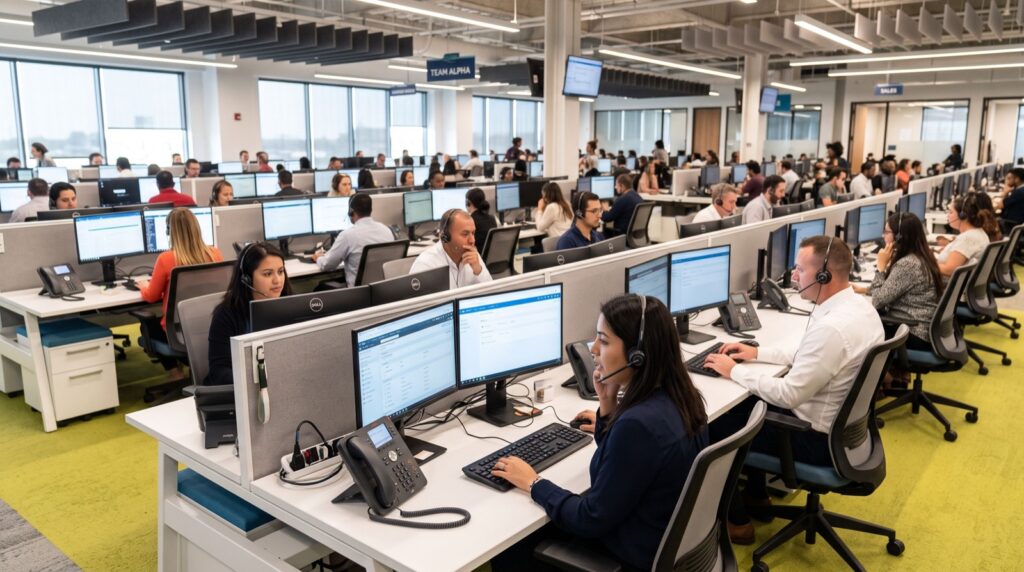
Building a modern VoIP call center in 2026 is far cheaper and more flexible than the copper-line systems it replaces, but success hinges on the desk hardware your agents touch all day. A VoIP call center routes voice over the internet using SIP, letting a Pakistani business connect remote agents, local branches, and cloud PBX platforms without renting a rack of legacy PBX gear. In this guide we break down how to plan the network, pick the right agent phones, and avoid the mistakes that sink first deployments.
Our team has commissioned contact-center rooms from a handful of seats up to several hundred, so these are practical, tested steps rather than brochure claims.
Why VoIP wins for Pakistani businesses in 2026
Bandwidth is cheaper and fiber coverage is wider than ever, which finally makes voice-over-IP dependable for high-volume calling across Karachi, Lahore, and Islamabad. A hosted or on-premise SIP PBX cuts line rental, adds features like call recording and IVR, and scales seats with a config change instead of a truck roll.
Local availability of quality hardware also matters. Sourcing Fanvil IP Phones in Pakistan means shorter lead times, local warranty, and configuration help — a real advantage over importing untested gear that may lack firmware support.
The building blocks of a VoIP call center
- SIP trunk or gateway: connects your PBX to the PSTN and mobile networks.
- PBX software: Asterisk, FreePBX, 3CX, or a cloud platform for routing and IVR.
- Agent endpoints: IP desk phones or softphones with reliable HD audio.
- PoE network: managed switches with a voice VLAN and QoS.
- Headsets: noise-cancelling units for long agent shifts.
Choosing agent and supervisor phones
Agents and supervisors have different needs, so a smart contact center uses at least two hardware tiers. Agents need clean audio, a headset port, and a couple of programmable keys for transfer and hold. Supervisors need many line keys to monitor queues and barge into calls.
For high-visibility supervisor and reception desks, a large-screen flagship such as the Fanvil X210 gives the display real estate and expansion keys needed to watch dozens of agents at once, while lean handsets keep per-agent cost sensible.
Agent-desk requirements table
| Requirement | Why it matters |
|---|---|
| HD wideband codec | Clearer voice reduces repeat calls and fatigue |
| Dual gigabit ports | Phone and PC share one drop without lag |
| PoE support | Single cable, easy UPS-backed failover |
| EHS/headset jack | Hands-free calling for full shifts |
| Remote provisioning | Push config to hundreds of desks fast |
How do I set up a VoIP call center step by step?
A structured rollout prevents the chaos of a big-bang launch. Follow this sequence and pilot before you scale.
- Size the load: estimate concurrent calls to right-size trunks and bandwidth.
- Prepare the network: enable a voice VLAN, QoS tagging, and adequate PoE budget.
- Stand up the PBX: configure extensions, queues, IVR, and recording.
- Provision phones: template one config file and auto-provision the fleet.
- Test call quality: measure jitter, latency, and packet loss under load.
- Train and go live: pilot one team, refine, then roll out fully.
For turnkey setup, many businesses hand the network and provisioning work to reputable service experts who stage the hardware and hand over a working system.
Common mistakes that sink first deployments
Most call-center rollouts stumble on the same avoidable errors. Learning them in advance saves weeks of frustration and protects agent productivity from day one.
- Skipping the network audit: deploying phones onto a flat network with no VLAN or QoS guarantees choppy audio under load.
- Undersizing trunks: too few simultaneous channels means busy signals during peak hours and lost sales.
- Ignoring firmware: mismatched firmware across handsets causes odd, hard-to-trace bugs.
- Buying one tier for everyone: agents and supervisors have different needs, and forcing one model wastes budget or shortchanges power users.
- No pilot phase: a big-bang launch amplifies every small mistake across the whole floor at once.
From experience, the single highest-return habit is a proper pilot. Deploy ten seats, measure call quality, gather agent feedback, and fix issues before you scale. A week of piloting prevents months of firefighting once the full center goes live.
Scaling without pain
Growth is where VoIP truly outshines legacy systems. Adding twenty agents is a matter of provisioning twenty phones from your existing template and expanding trunk capacity, not laying new copper. Because SIP is an open standard, you can also mix hardware tiers and even remote softphone users on the same PBX, letting the center flex up for seasonal peaks and back down afterward. Plan your PBX licensing and trunk headroom with future growth in mind so scaling stays a config change rather than a rebuild.
Call quality and security essentials
Poor audio kills a call center faster than anything, and it usually traces to the network rather than the phone. Keep one-way latency under 150 ms, jitter low, and packet loss near zero. Prioritize RTP media with QoS so backups and downloads never starve voice.
Security is equally vital. Encrypt signaling with SIP over TLS and media with SRTP, and change default passwords during provisioning. The core SIP behavior is defined in IETF RFC 3261, and verifying device capabilities against official Fanvil documentation keeps your rollout on solid footing.
Frequently Asked Questions
How much bandwidth does each agent need?
Plan for roughly 85–100 kbps per concurrent call with the G.711 codec, or less with compressed codecs. For a 20-seat center running at full load, a stable connection with prioritized voice traffic and modest overhead is enough, provided QoS is properly configured.
Do I need special phones or can agents use softphones?
Both work. Softphones save hardware cost and suit remote agents, while dedicated desk phones offer better audio consistency, tactile keys, and fewer PC-related failures. Many centers mix the two, giving supervisors physical phones and remote staff softphones.
Can a VoIP call center connect to mobile networks in Pakistan?
Yes. Through SIP trunks and GSM gateways, your PBX can route calls to local mobile and landline numbers. This lets agents dial customers on any network while keeping call recording, queuing, and reporting centralized.
Is VoIP reliable during power or internet outages?
With planning, yes. PoE phones on a UPS-backed switch and a secondary internet link keep calls flowing during short outages. Cloud PBX platforms add resilience by rerouting to backup numbers automatically.
Conclusion
A successful VoIP call center in 2026 pairs a well-tuned SIP network with the right agent and supervisor phones, locally sourced for fast support. Plan capacity, secure your signaling, and pilot before scaling. Ready to build or upgrade your contact center? Contact a specialist for a hardware and PBX plan sized to your team and your budget.