The Best Money Apps of 2026: How to Budget, Save, and Grow Your Cash
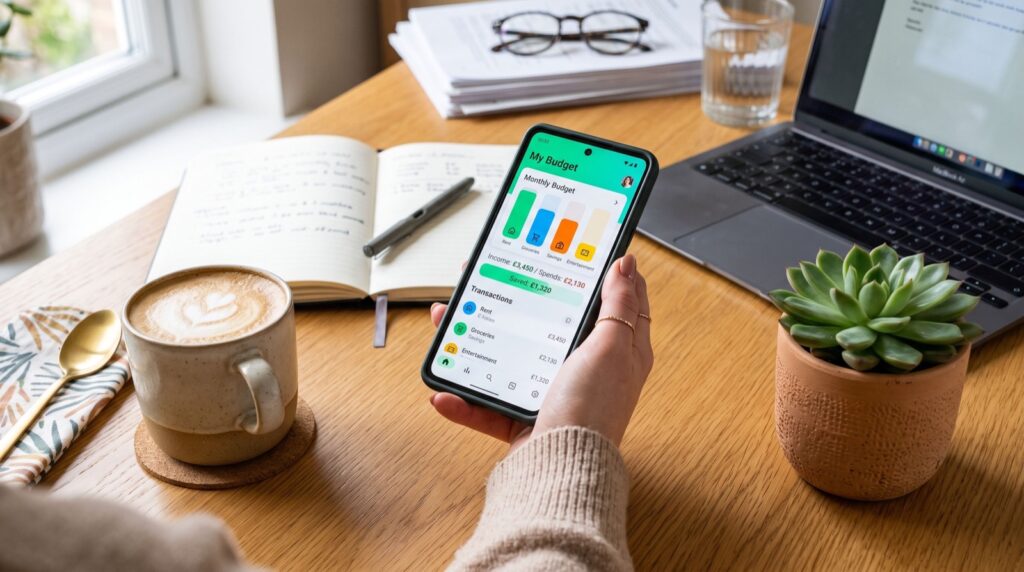
If your paycheck seems to disappear before the month ends, you are not alone. Millions of Americans struggle to track where their dollars go, and that is exactly why the best money apps have become essential tools for everyday budgeting in 2026. The right app turns a fuzzy, stressful money situation into a clear picture you can actually act on. In this guide, we break down which apps do what, how to pick one that fits your life, and the practical habits that make any tool worth the download.
Whether you want to crush debt, build an emergency fund, or simply stop overdrafting, a good budgeting app does the heavy lifting so you do not have to open a spreadsheet at midnight. Let us walk through the landscape together.
Why the Best Money Apps Matter More Than Ever in 2026
Prices have climbed, subscriptions multiply quietly, and most of us hold accounts across several banks and cards. Keeping it all straight in your head is nearly impossible. Money apps connect to your accounts, categorize every transaction, and show you the truth about your spending in seconds.
The Consumer Financial Protection Bureau notes that people who track their spending regularly are far more likely to stick to a plan and avoid costly fees. You can read the agency’s guidance on budgeting through the CFPB consumer tools hub, which is a genuinely useful free resource. Pairing that knowledge with the right app gives you both the strategy and the automation.
Types of Money Apps and What Each One Solves
Not every app does the same job. Choosing well starts with knowing the category that matches your goal.
- Budgeting apps — Track income and expenses, set category limits, and warn you before you overspend.
- Cash-back and rewards apps — Earn a small percentage back on groceries, gas, and online shopping.
- Automatic savings apps — Move small amounts into savings without you noticing, building a cushion painlessly.
- Investing apps — Let you start investing with a few dollars, often with fractional shares.
- Peer-to-peer payment apps — Split bills and send money to friends instantly.
Many people use two or three apps together. That is perfectly normal. A budgeting app plus a savings app plus one cash-back tool covers most needs without cluttering your phone.
Comparing the Top Money Apps of 2026
Below is a quick comparison of popular options across the main categories. Costs and features shift, so treat this as a starting point rather than gospel.
| App Type | Best For | Typical Cost | Standout Feature |
|---|---|---|---|
| Zero-based budgeting | Hands-on planners | $0–$15/mo | Every dollar assigned a job |
| Automatic budgeting | Busy people | Free to low | Auto-categorized spending |
| Round-up savings | Passive savers | $0–$3/mo | Spare change swept to savings |
| Cash-back rewards | Frequent shoppers | Free | Percentage back on purchases |
| Micro-investing | New investors | $0–$5/mo | Fractional shares from $1 |
How Do I Choose the Right Money App for Me?
Start with one clear goal. If you overspend, prioritize a budgeting app. If you cannot save, pick an automatic round-up tool. Trying to fix everything at once usually leads to abandoning all of it.
Next, check three things: security, ease of use, and cost. Look for bank-level encryption and multi-factor login. Make sure the interface feels intuitive within the first five minutes, because an app you dread opening will not help you. Finally, weigh any subscription against what you actually gain. A $10 monthly app that saves you $100 is a bargain; one you never open is just another subscription draining your account.
For more hands-on strategies and app breakdowns, WalletWisp publishes clear, jargon-free personal finance tips that pair nicely with whichever tool you choose.
Free vs. Paid: Is a Subscription Worth It?
Free apps cover the basics well and are a smart place to begin. Paid tiers usually add automation, deeper reports, goal tracking, and priority support. If a paid feature directly helps you hit a goal faster, the fee often pays for itself. If not, stay free until your needs grow.
Practical Habits That Make Any Money App Work
Downloading an app is step one. The habits around it decide whether it changes your finances or gathers dust.
- Check in weekly. Ten minutes every Sunday keeps you aware without burning out.
- Name your goals. “Vacation fund” motivates more than “savings account.”
- Automate the boring parts. Set recurring transfers so saving happens without willpower.
- Review subscriptions monthly. Cancel what you forgot you were paying for.
- Celebrate small wins. Hitting a $500 emergency fund deserves recognition.
Consistency beats intensity. A modest budget you follow for a year outperforms a perfect plan you quit after two weeks. When you compare tools, look at reviews from real users and trusted roundups of the best money apps before committing your data and time.
Security: Protecting Your Money and Data
Any app that links to your bank should treat security as a priority. Look for encryption, read-only account connections, and a clear privacy policy. Never share your banking login through email or text, and enable two-factor authentication everywhere it is offered. Reputable money apps will never ask you to disable your bank’s security features. When in doubt about a service, check reviews from quality service providers and independent watchdog sites before entering sensitive details.
Frequently Asked Questions
Are money apps safe to link to my bank account?
Most reputable apps use bank-level encryption and read-only connections, meaning they can see transactions but cannot move your money without permission. Stick to well-reviewed apps, enable two-factor authentication, and you significantly reduce risk.
What is the best free money app for beginners?
The best free app depends on your goal. For simple budgeting, an automatic-categorization app is ideal. For saving, a round-up app works well. Beginners often benefit most from starting with one free budgeting app and adding others later.
Can a money app really help me save more?
Yes, when paired with consistent habits. Apps that automate transfers and show your spending patterns make saving nearly effortless. The tool provides visibility and automation; your regular check-ins turn that into real results.
How many money apps should I use?
Two or three is plenty for most people: one for budgeting, one for saving, and optionally one for cash back or investing. Using too many creates clutter and makes it harder to see your full financial picture.
Final Thoughts
The best money apps of 2026 do more than track numbers; they give you confidence and control over your finances. Start with one goal, pick a tool that fits, and build small habits around it. Over time, those tiny actions compound into real savings, less stress, and a clearer path toward whatever you are working toward. The perfect app is the one you will actually use, so choose simply and start today.